
Being banned from a popular game like PUBG (PlayerUnknown’s Battlegrounds) or Call of Duty (COD) can be a frustrating experience. Whether it’s due to a misunderstanding, a technical issue, or a breach of the game’s terms of service, many players find themselves caught in a ban that seems unfair. However, there is often an appeal process that allows players to contest the ban. In this article, we will explore how to appeal a ban in popular games like PUBG and COD, discuss the common reasons players get banned, and provide tips on how to avoid getting banned in the future.
Before diving into how to appeal a ban, it’s important to understand the common reasons why bans happen in the first place. Both PUBG and COD are multiplayer games with large player bases, and they rely on strict policies to maintain fair gameplay. Some common reasons for bans include:
Understanding the reason behind the ban is crucial for building a successful appeal. If you were banned due to cheating or toxic behavior, for example, your appeal may have a lower chance of success unless you can provide compelling evidence to show that the ban was unfair.
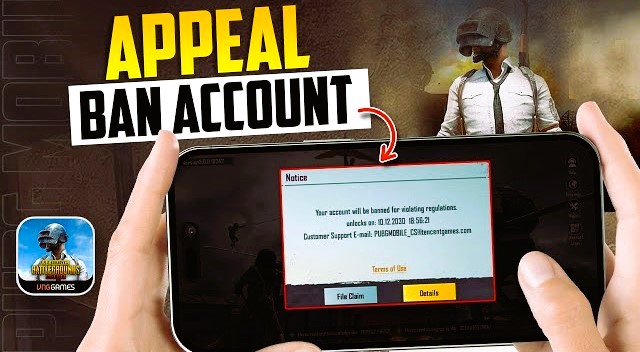
If you’ve been banned in PUBG and believe the ban was unjustified or due to a mistake, follow these steps to appeal the decision:
When you are banned from PUBG, you should receive a notification detailing the reason for the ban. This notification might appear in the game client or through email, and it’s essential to read through it carefully. If the reason for the ban is related to cheating or another severe violation, the chances of a successful appeal may be lower.
Before appealing, make sure to gather any relevant evidence that supports your case. For example:
Once you have gathered your evidence, go to PUBG’s official support page. The support page will have a section specifically for ban appeals. Fill out the appeal form with accurate information and provide any evidence you have.
PUBG support typically takes several days to respond to ban appeals, and they will review your case thoroughly. Be polite and clear in your communication and avoid submitting multiple appeals, as this can delay the process.
After submitting your appeal, the next step is to wait for PUBG’s response. If they find your appeal valid, they may reverse the ban or reduce its duration. If the appeal is denied, there may be no further actions you can take, although you can inquire about the reasons for the decision. Liked this article? Read also about Exploring the Ethics of Cheating.
To reduce the risk of being banned in games like PUBG and COD, follow these tips:
Appealing a ban in popular games like PUBG and COD can be a challenging but important process. Whether you’ve been banned for cheating, toxic behavior, or other reasons, understanding the reason behind the ban and following the proper steps for appeal is crucial. Always be sure to provide any evidence that supports your case and communicate respectfully with the game’s support team.
Remember, following the rules and maintaining fair play in the gaming community is the best way to avoid bans and enjoy a positive gaming experience.
For more information on game bans and account management, visit Wikipedia’s article on Cheating in Video Games.